Land & irrigation
Know which section was watered, not just that the pump ran.
Crop record keeping & lifecycle management
A notebook tells part of the story. A worker’s phone holds another part. When you need to know what happened to a particular crop, finding the full picture can take longer than the field work itself.
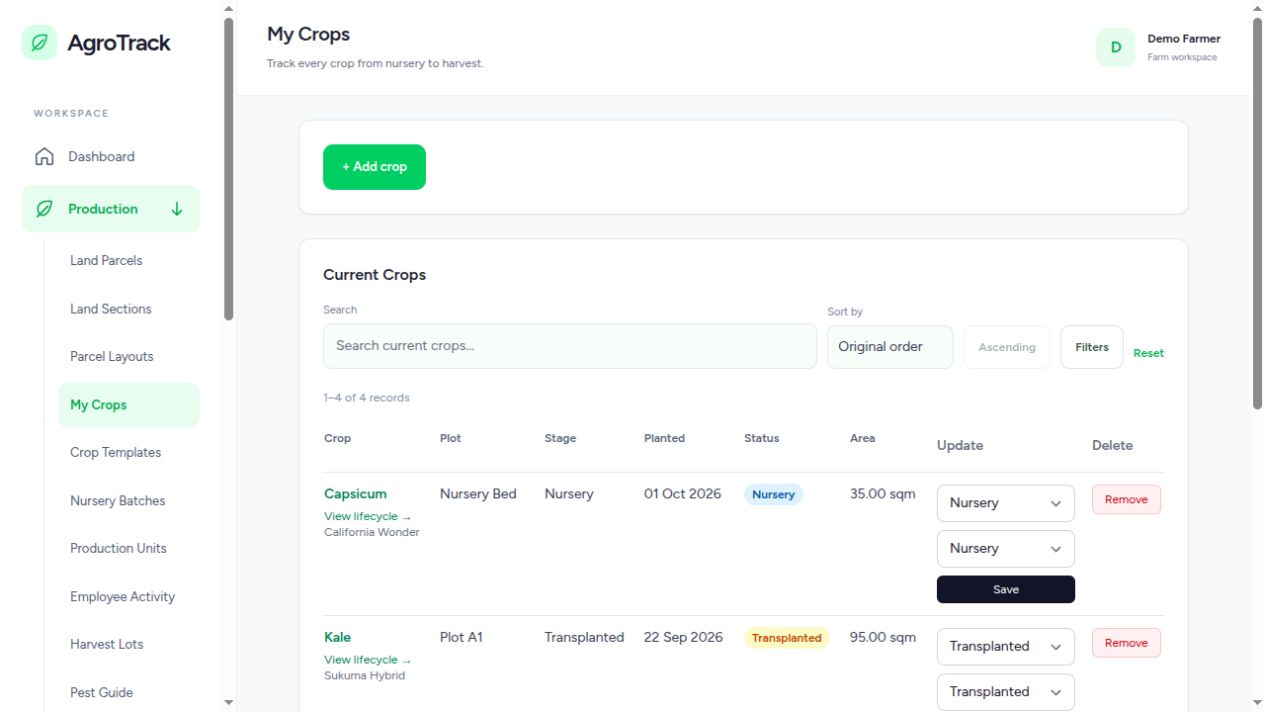
Start with the crop, its variety, planting date and growing section. A section belongs to a land parcel, and each parcel belongs to your farm business. Whether you grow tomatoes under cover and kale outdoors, or operate at several sites, the records stay attached to the right crop and location.
Planting is only the beginning. Open a crop to review its lifecycle and record activities such as weeding, watering, fertilizing, manure application and observations. A dated history gives you something more useful than “we did it sometime last week”: a record you can review with your team.
Traceability can be enabled or disabled to suit the operation. When enabled, capture the material type, variety, batch or lot reference, producer, supplier and receipt evidence. Seeds, seedlings and cuttings are covered, together with other supported propagation materials. In-house propagation needs its source or mother-stock reference.
You do not need to reconstruct every past season before using the system. Add your current growing parcels and sections, then record the crops that are in the ground today. Start logging the next watering, weeding or treatment event. Over time, the history becomes more useful because the records are made close to the work.
Planting-material traceability is optional. When you enable it, the relevant source details and evidence are required. Existing recorded evidence is retained when traceability is disabled.
Yes. Crop records and lifecycle management are useful for local markets too. Destination-specific export checks need to be configured for the crop and market; the system does not give a blanket compliance guarantee.
Add your growing area, record an active crop and build from there.
Create your AgroTrack account Already have an account? Sign inYou are offline. Save field drafts in this tab and reconnect before submitting records or operating pumps.
In Safari, open Share and select Add to Home Screen.