Crop records
Your crop history should not depend on who remembers.
Nursery production management & seedling traceability
For a nursery or planter, the work starts long before a crop is planted on a customer’s land. Source material, propagation batches, production activities and the evidence supplied with seedlings all need an organized home.
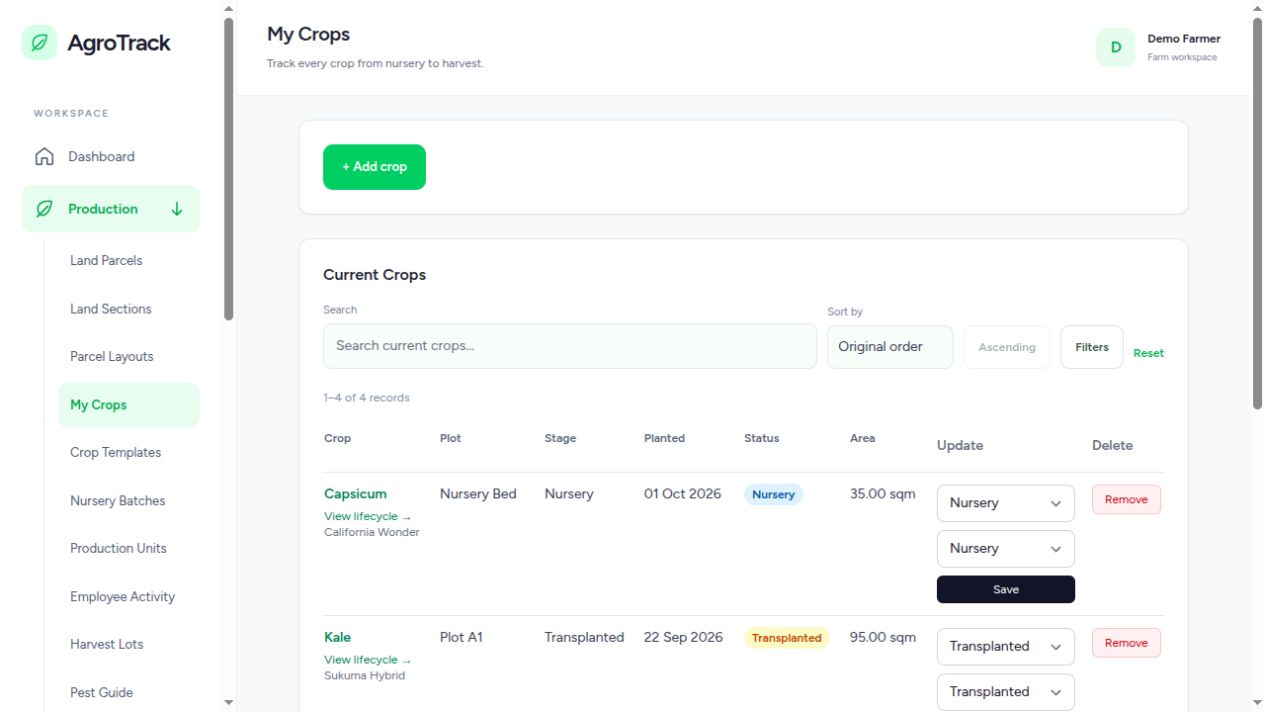
Nursery batches provide a record for propagated plants and their quantity movements. Keep the batch identity together with production records so that day-to-day changes can be reviewed. Physical labels remain useful in the nursery; the digital record adds a place for the history behind them.
Planting material is not limited to seed packets. Source records support seeds, seedlings, cuttings, grafts, tissue culture and divisions. When traceability is enabled, purchased material needs its supplier and evidence; in-house propagation needs the source batch or mother-stock reference appropriate to that material.
Production units and employee activity records support the work that happens inside the nursery. Assign work, record start and stop times, and keep observations linked to the activity. This makes a discussion about a batch more useful than knowing only who was present that day.
A farmer or buyer may need to know where seedlings came from and which batch they belong to. Good source records make that evidence easier to locate. Assurance profiles, evidence and reviews support requirements that have been configured for the crop and destination; they do not replace the applicable certification or authority’s decision.
Yes. Nursery batches, planting-material sources, production units and employee activities support work beyond a farm’s planted crops.
Yes. Cuttings are a supported material type. When traceability is enabled, record the source or mother-stock reference for in-house propagation.
Add your growing area, record an active crop and build from there.
Create your AgroTrack account Already have an account? Sign inYou are offline. Save field drafts in this tab and reconnect before submitting records or operating pumps.
In Safari, open Share and select Add to Home Screen.