Crop records
Your crop history should not depend on who remembers.
Farm irrigation records, pump timers & parcel layouts
When irrigation is organized through phone calls and memory, it is easy to lose track of the plan. One section may be missed, a run may last longer than expected, and the record may say very little about which crop received attention.
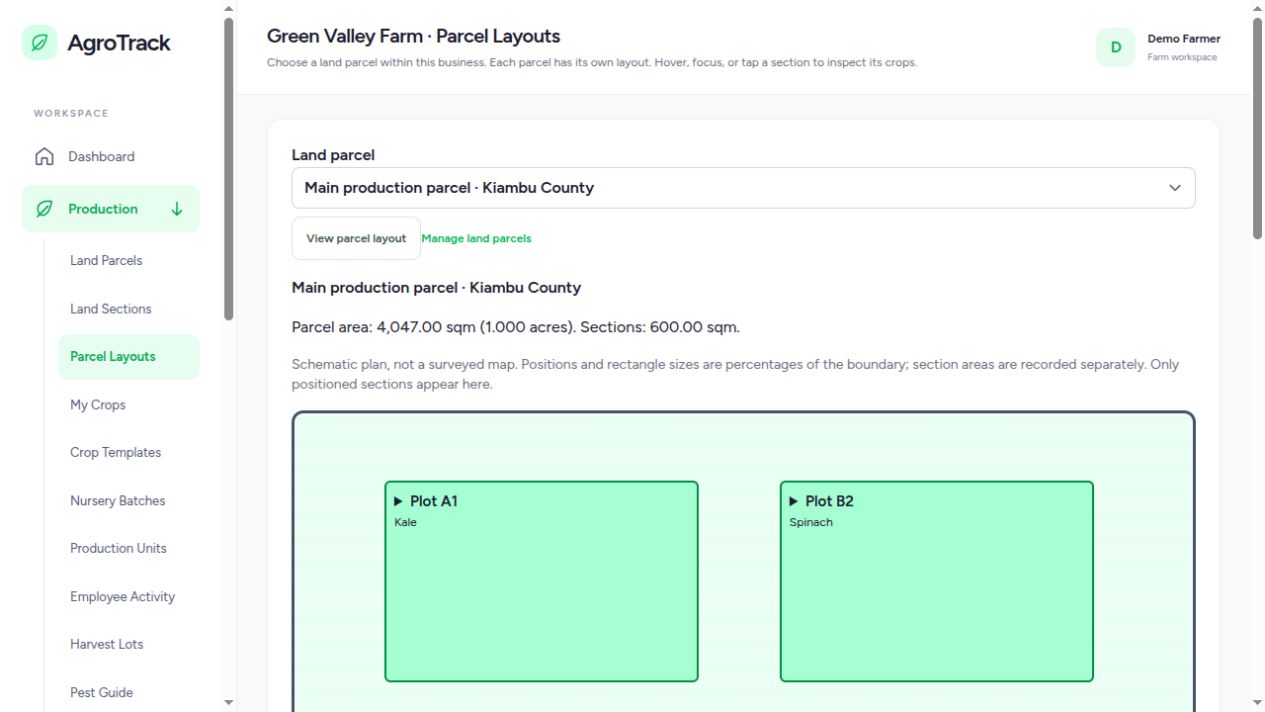
Your farm is the business, not a single piece of land. Add a parcel for each location, then place its growing sections inside that parcel. The visual layout helps you connect the names in your records with the areas your team works in. It is a schematic plan rather than a surveyed map.
When you start a pump, enter an optional run timer and, when needed, a schedule of sections with time allocated to each. Saving the plan and starting the pump keeps the intended work together. If you simply need to run the pump, neither a section schedule nor a timer is compulsory.
A schedule records your intended irrigation. Confirming exactly how much water reached a section requires suitable flow meters, valve controls and device readings. Hardware and MQTT connectivity must be configured for your installation. Without that equipment, treat run times and schedules as management records rather than measured water volumes.
Pump operations need a live connection. Commands are never queued for automatic sending when you reconnect. This avoids an old instruction starting equipment after the moment it was intended for. Field drafts are useful for eligible forms, but they do not turn pump control into an offline action.
Yes. A pump can start without a section schedule. The timer is also optional, so it can run until stopped, subject to the device’s own protection controls.
That depends on your configured valves, devices and supported integration. A schedule alone is not proof of automatic switching or measured water delivery.
Add your growing area, record an active crop and build from there.
Create your AgroTrack account Already have an account? Sign inYou are offline. Save field drafts in this tab and reconnect before submitting records or operating pumps.
In Safari, open Share and select Add to Home Screen.